As a mutual fund distributor, nothing disrupts your day like a stalled client transaction. Some compliance gaps stop a client from transacting at all. Others are easier to miss: with a missing or invalid EUIN, the trade goes through, but your brokerage on it is withheld until the EUIN is fixed.
The Compliance Report in Investwell Mint gathers all of these exceptions in one place, from EUIN errors that hold back your brokerage to unlinked Aadhaar, missing nominees, IIN/UCC mismatches, and missing PAN or KYC. You can filter and sort each list, export it, and work through the fixes step by step.
This guide covers the six checks in the report: what each issue means, whether it blocks transactions, and exactly how to fix it.
Compliance issues at a glance
Not every compliance gap affects you the same way. Use this table to decide what to fix first.
| Issue | Does the transaction go through? | What’s at risk | Where to fix it |
|---|---|---|---|
| Missing or invalid EUIN | Yes | Brokerage withheld; can be forfeited if not fixed in time | Registrar or the AMC’s relationship manager |
| Aadhaar not linked to PAN | No, once KYC goes on hold | No SIP, lump-sum or redemption | Income Tax e-filing portal |
| Folio without a nominee | Yes, for existing folios | No clear succession path for the client | CAMS, KFintech or MF Central |
| IIN/UCC mismatch | Can be rejected or delayed | Failed or delayed orders | Exchange portal (NSE/BSE); AMC at folio level |
| PAN missing | No financial transactions | Client can’t buy, redeem or run SIPs | Fresh KYC, then update the folio with the AMC |
| KYC missing | No | Client can’t transact in those schemes | Investwell Mint KYC Status Report, or the CAMS/KFintech eKYC portal |
Where to start: fix EUIN errors first to protect your brokerage, then KYC and PAN gaps so clients can keep transacting.
Not on Investwell Mint? The fixes in each section still apply. The Compliance Report simply finds the affected folios and transactions for you.
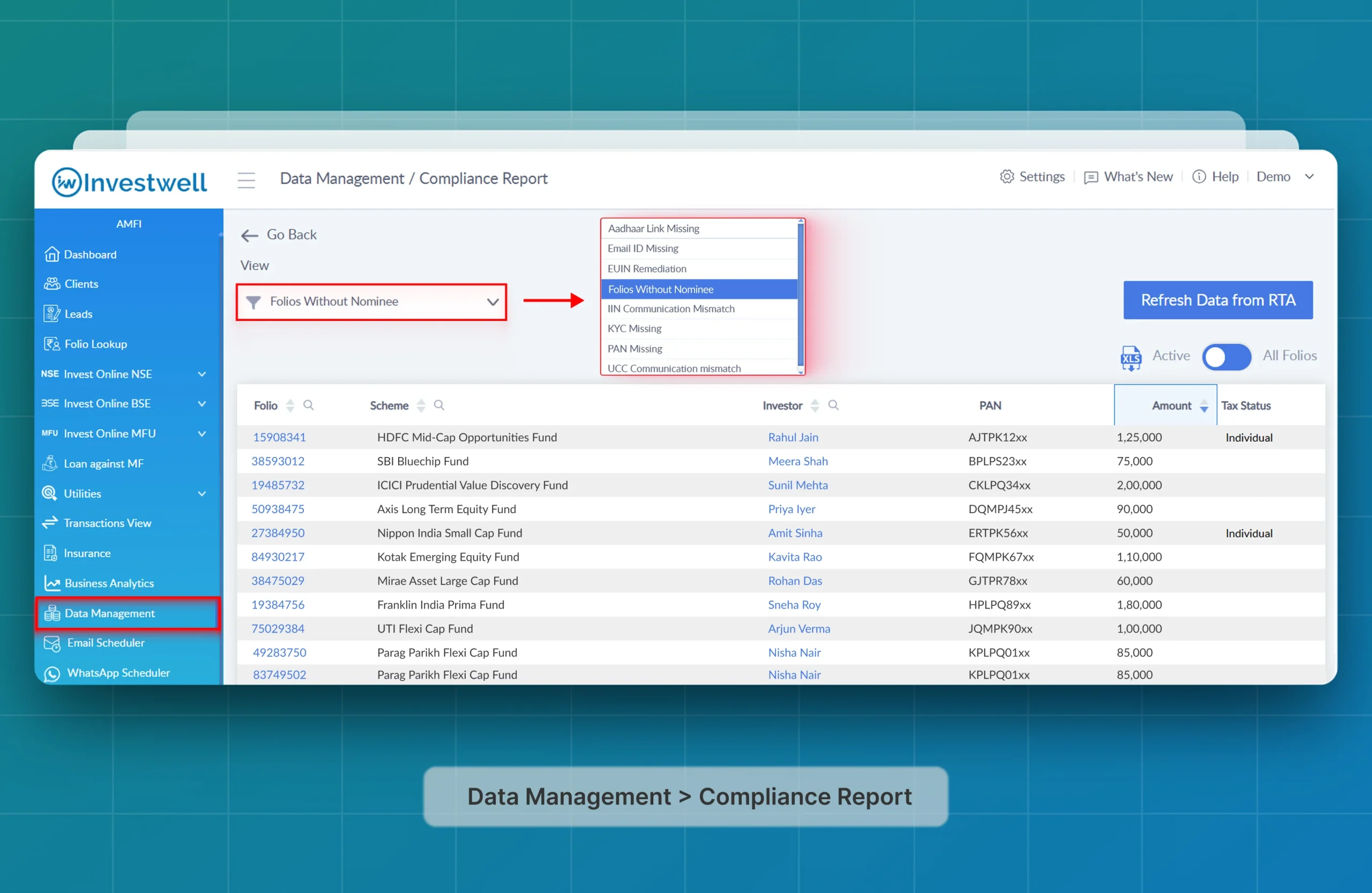
Open the Compliance Report
- Log in to Investwell Mint.
- Data Management > Compliance Report
- The module opens immediately. At the top, you’ll see a dropdown containing six compliance checks:
- Aadhaar Missing
- EUIN Remediation
- Folios without a Nominee
- IIN/UCC Communication Mismatch
- PAN Missing
- KYC Missing
Click “Refresh Data from RTA” to pull the latest status from CAMS/KFintech before you begin.
1. EUIN Remediation: What It Means and How to Fix It
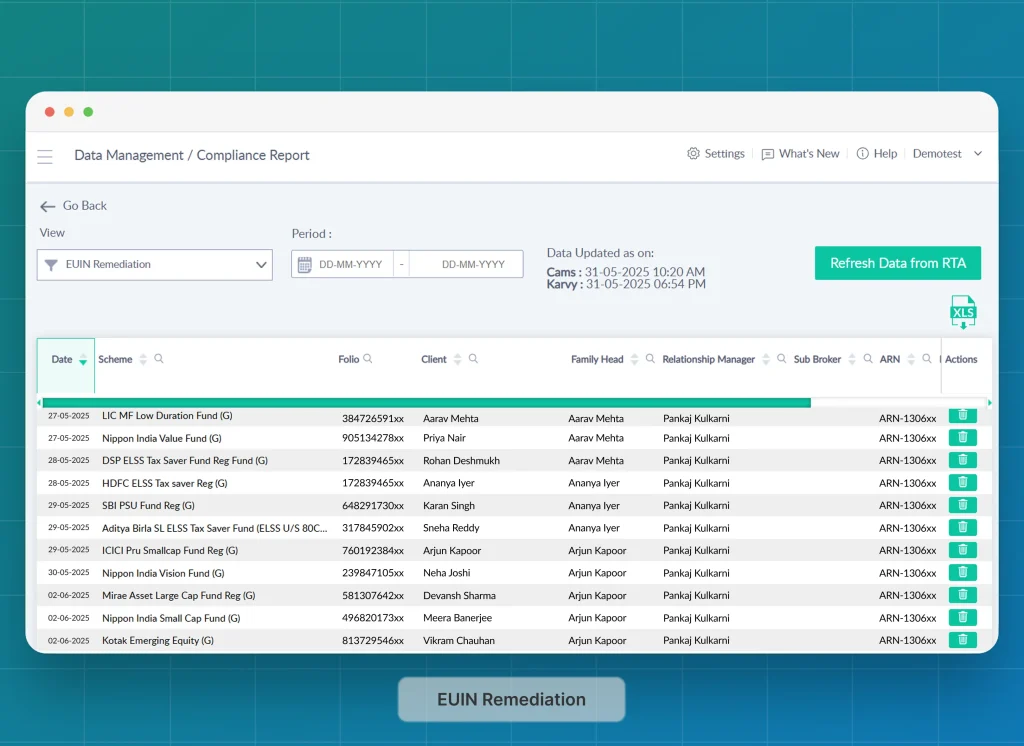
The EUIN Remediation report highlights all transactions where the EUIN is missing or invalid. For such transactions, brokerage is
withheld until the EUIN is remediated (fixed) at the AMC level. You’ll find essential details – transaction date, fund scheme, folio reference, ARN, and any error remarks – organised for quick review.
What is EUIN remediation?
EUIN remediation means correcting transactions where the distributor’s EUIN (Employee Unique Identification Number) was missing or invalid. The trade still executes, but the AMC withholds the brokerage on it until the correct EUIN is furnished. Act quickly: if it isn’t fixed within the remediation window, the commission on that transaction can be forfeited permanently.
Why It Matters
The EUIN Remediation report lists every transaction where the EUIN is missing or invalid, with the transaction date, scheme, folio, ARN and error remarks. Each one is brokerage you have earned but are not being paid, and the longer it waits, the higher the risk of losing it.
Action Steps
1. Filter & Identify
Use the built-in filters (by date range or scheme) to narrow down recent or high-value trades.
2. Export for Clarity
Export the filtered results to a CSV file to share with your operations team or AMC registrar.
3. Request Updates
Send the CSV, along with the correct EUIN code, to the registrar or the Respective AMC’s relationship manager.
4. Confirm Resolution
Once the AMC updates the EUIN entries, refresh the Compliance Report. Corrected transactions will automatically clear from the
remediation list.
2. Aadhaar Linking Missing
This report lists folios where PAN-Aadhaar linkage is incomplete. It shows the scheme, investor details (PAN, AUM), Aadhaar fields for joint holders and guardians, and tax status.
Why It Matters
An investor’s PAN must be linked with Aadhaar. If it isn’t, the PAN becomes inoperative and the investor’s KYC status goes on hold. Investors with KYC on hold cannot start SIPs, invest lump sums or redeem.
Action Steps
1. Identify Affected Folios
Note the folio numbers listed in the compliance report.
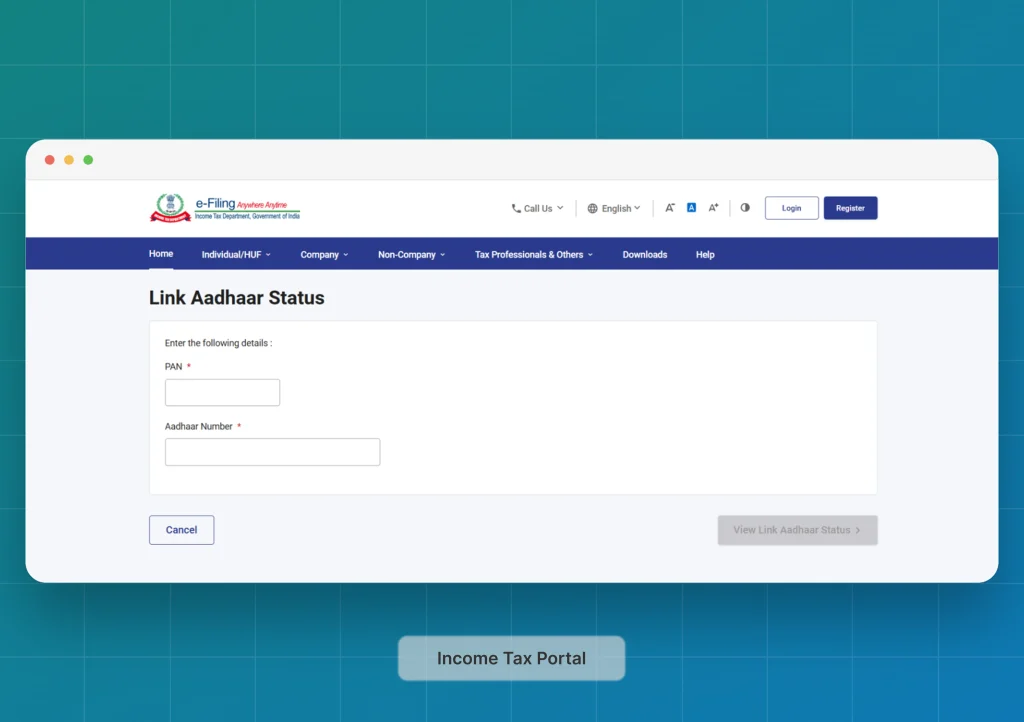
2. Link Aadhaar-PAN
Go to the Income Tax e-filing portal. Go to the page: Link Aadhar Status (link)
3. Verify & Refresh
Once confirmed by the Income Tax department, you can return to Investwell Mint and refresh the Compliance Report, where cleared
folios will no longer appear.
3. Folios without a Nominee
Ever checked a folio only to find there’s no one nominated to claim it? The Folios without a Nominee report flags every account missing nominee details, showing you the folio identifier, scheme name, investment amount, and tax status at a glance.
Why It Matters
Existing folios without a nominee are not frozen, and transactions still go through. New investors, however, must either add a nominee or formally opt out. A nominee gives the client’s family a clear succession path if something happens to the investor.
Action Steps
1. Identify the Gaps
Browse the report to see which folios need nominee entries
2. Access the RTA Portal
Log in to CAMS, KFintech, or MF Central with your credentials. Fill in the nominee form for each folio – there are no associated charges. Or can use the physical Nominee form to update nominee details and submit a signed copy to CAMS/Karvyt (KFintech) or the respective AMC.
3. Confirm Completion
Return to Mint, refresh the report, and verify that those folios disappear from the list.
4. IIN/UCC Communication Mismatch
Mismatched account details can halt transactions. The IIN/UCC Communication Mismatch report compares your exchange registration
data (IIN or UCC) against AMC records – highlighting differences in IDs, contact info and AUM.
Why It Matters
Any discrepancy between registered and transaction data can lead to rejections or delays. It is better to fix the mismatch in IIN or UCC.
Action Steps
1. Identify Discrepancies
Review the side-by-side fields to spot mismatches.
2. Confirm the Source of Truth
Check with the exchange portal (NSE/BSE), correct the details and authenticate with the investor to rectify. Update in AMC at the folio level also, if required.
If you place orders through BSE StAR MF, version 2.0 reduces the manual file uploads for UCC registration. See what changed in BSE StAR MF 2.0.
5. PAN Missing
Legacy folios opened before PAN became mandatory may still slip through. The PAN Missing report lists those investors, so you know
who needs updating.
Why It Matters
Current regulations block transactions on folios without PAN, preventing clients from buying, redeeming, or switching funds until the
PAN is recorded.
Action Steps
1. List Legacy Folios
Note the folios flagged for missing PAN.
2. Gather PAN Details
Request the investor’s PAN copy and verify the number and do a fresh KYC.
3. Submit to RTA
After verifying the KYC, communicate to all the respective AMCs to update the existing folios.
BSE StAR MF 2.0 changes how UCC and mandate work is handled. See what changes for MFDs.
6. KYC Missing
The KYC Missing report pulls the latest KYC status directly from CAMS or KFintech. Get the latest status check by clicking Refresh Data
from RTA. You’ll see each folio alongside scheme name, investor name, PAN, AUM, holdings, and several KYC flags – including KYC 1,
KYC 2, and KYC 3, which indicate the KYC status of joint holders, as well as guardian fields and tax status.
Why It Matters
Mutual fund transactions require verified KYC. Until every holder’s KYC is recorded, including joint accounts, clients cannot transact in
those schemes.
Action Steps
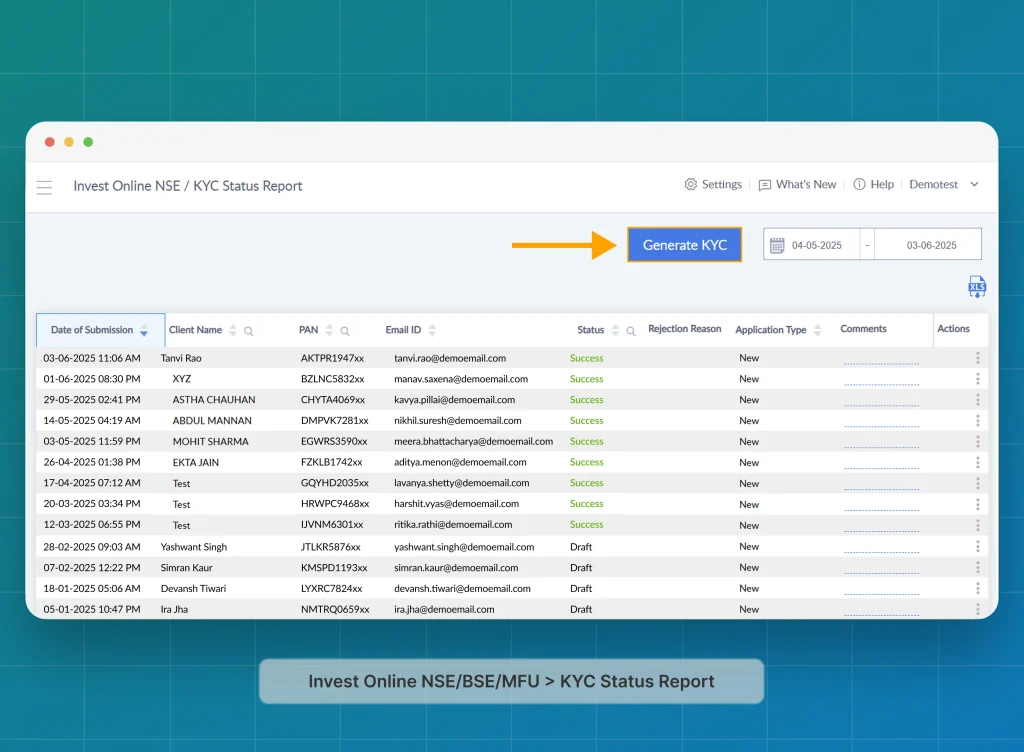
1. Use Investwell Mint’s KYC Workflow (recommended)
In Investwell Mint, go to:
Broker Dashboard > Invest Online NSE/BSE/MFU > KYC Status Report >
2. Or Go Directly to the KRA Portal
Go to CAMS or KFintech eKYC Portal. Complete the KYC process by uploading the required documents for each folio holder.
Conclusion
The Compliance Report turns a tedious process into a quick, reliable checklist.
- Run the reports weekly to stop backlogs building up.
- Fix EUIN and KYC gaps first to protect your brokerage and keep clients transacting.
- Export and share filtered lists with your back-office team.
Already on Investwell Mint? Open Data Management > Compliance Report and run these checks this week. Stuck on a step? Contact our support team..
Not on Investwell Mint yet? See every EUIN, KYC and PAN exception across your client book in one report. Book a demo.
Related guides
Blog last updated: 3rd Nov 2026