
Quick answer: BSE StAR MF 2.0 is the upgraded version of BSE’s mutual fund transaction platform. For distributors, the biggest change is less manual work between BSE and their wealth management software. Investor codes, mandate status, SIP changes and order updates no longer have to be downloaded from BSE and uploaded by hand. How much of this you benefit from depends on the software you use.
What is BSE StAR MF, and what’s new in 2.0?
BSE StAR MF is BSE’s online platform where distributors register investors, set up payment mandates and place mutual fund orders across fund houses. More than 80,000 distributors were registered on it by March 2025, and it processed 663 million transactions in FY25.
StAR MF 2.0 is the upgraded version of that platform, with its own portal that members sign in to using their member code.
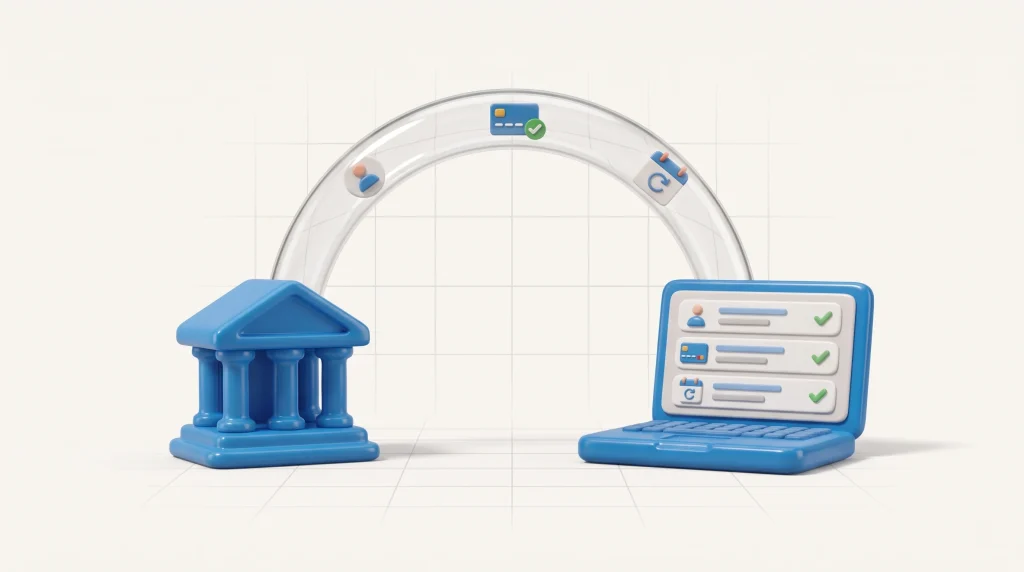
The most important change for distributors isn’t a new screen. It’s how information moves between BSE and the software you use to run your practice.
Before 2.0, most updates travelled as files. A new investor code created on the BSE portal, a mandate that got approved, a SIP that was paused: to see any of these in your software, someone had to download a file from BSE and upload it. Until they did, BSE and your software showed different things.
With 2.0, those changes can reach your software on their own, as they happen. Nobody has to carry a file across.
How does BSE 2.0 change a distributor’s daily work?
Five routine tasks show the difference most clearly.
| Task | Older workflow | With BSE 2.0 and connected software |
| Bringing in an investor code (UCC) created on the BSE portal | Download the file from BSE, then upload it into your software | The UCC, and any change to its status, appears on its own |
| Checking mandate status | Download the mandate file, upload it, then check | Active, Pending or Rejected updates as the status changes on BSE |
| Adding a second bank account for an investor | No option to manage banks in your software. Had to raise a request to BSE. | Add the new account directly. The investor authenticates with BSE, and the existing account stays |
| Pausing or ceasing a SIP, STP or SWP, or changing its mandate | Download the SIP master file from BSE, then upload it into your software | The change shows in both places, wherever it was made |
| Confirming an order reached the investor’s portfolio | Reconcile by hand or in a spreadsheet | Track each order until its units are allocated |
None of these is hard on its own. But they repeat across every investor, every month. And until a file is uploaded, your records and BSE’s don’t match, which is when mistakes and client calls happen.
Does BSE 2.0 remove this work for every distributor?
Not automatically. The gains in the table come from BSE and your software staying in step. That only happens if your software is connected to BSE 2.0 and built to act on the updates it receives.
If it isn’t, the old routine carries on: download from BSE, upload into your software, check, repeat. BSE has upgraded, but your day hasn’t changed.
Each software provider decides how far to adopt BSE 2.0, and when. So the useful question isn’t “Is BSE 2.0 live?” It’s “What does my software do with it?”
6 questions to ask your MFD software about BSE 2.0
Use these with your current provider, or with any software you’re evaluating. A clear “yes” to each means BSE 2.0 is actually saving you time.
- When I create a UCC on the BSE portal, does it appear in the software on its own? Or do I still import a file?
- Does mandate status update by itself? Can I see Active, Pending and Rejected without downloading anything?
- If a SIP, STP or SWP is paused, ceased or moved to a new mandate on the BSE portal, does the software reflect it? Without a file upload?
- Can I add a second bank account to an investor’s UCC without deleting the first?
- Can I see when an order’s units have actually been allocated to the investor’s portfolio? Not just that the order succeeded?
- What do I have to do to switch, and do my existing UCCs, mandates and running SIPs carry over?
If the answer to most of these is “you’ll need to download and upload,” your software isn’t using what BSE 2.0 offers yet.
How Investwell Mint works with BSE StAR MF 2.0
Investwell Mint is mutual fund software for distributors, and it’s live on BSE 2.0. Here’s how it answers the six questions above.
- UCCs: codes created on the BSE portal, and any status changes, appear in Investwell Mint in real time. An automatic overnight sync, and a manual sync for any single UCC, stay in place as backups.
- Mandates: eNACH and physical mandate status updates in real time, as Active, Pending or Rejected.
- Bank accounts: add a second account from the investor’s profile. The investor authenticates with BSE, and the existing account stays. Redemptions still go to the account linked to each folio.
- Systematic orders: pause or cease SIPs, STPs and SWPs, or change their mandate, from one list. Changes made on the BSE portal show up too, as do systematic orders placed directly on BSE under your member code.
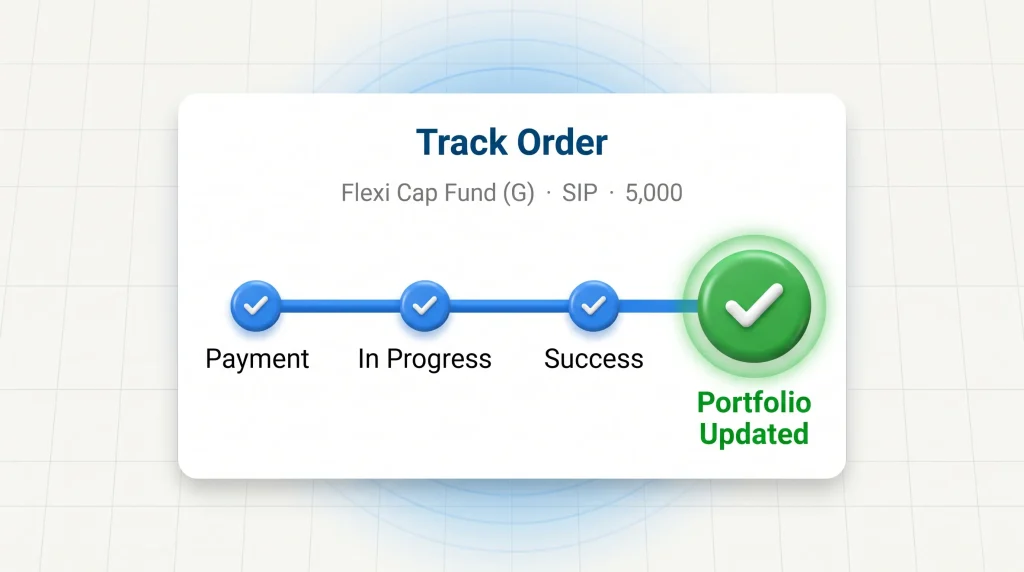
- Orders: follow each order with Track Order. A Portfolio Updated stage shows when its units have been allocated.
Investwell Mint supports individual investors (including minors, NRE, NRO and NRI minor accounts) and HUFs, physical and demat holdings, and all six order types: lumpsum, SIP, STP, SWP, switch and redemption.
Coming next in Investwell Mint:
- Cart: add orders for several schemes to one cart and place them together, instead of one at a time.
- Edit UCC: update an investor’s UCC details directly in Investwell Mint, for both individual and non-individual tax statuses.
Switching takes a one-time, 3-step setup: download a key from Mint, register it on the BSE StAR MF 2.0 portal, then enter your BSE details in Mint. Your existing UCCs, mandates and running SIPs carry over. The setup guide walks through each step.
Sources
- BSE Star MF rides digital investment growth amid equity market rally, Business Standard, July 2025. Source for distributor count, FY25 transactions and the first mention of StAR MF 2.0
- Setting up BSE 2.0 integration, Investwell Helpdesk